
A browser can place an embedded game inside an iframe, but that does not make every game private or harmless. The frame is a separate browsing context; its capabilities depend on the iframe attributes, browser rules and permissions that the page allows. A useful safety guide should name those boundaries instead of declaring the web categorically safer than mobile apps.
On fulegames, game code is delivered through Playgama after a visitor chooses to open the game. The surrounding article, navigation and evidence screenshot belong to the fulegames page; the running game is third-party content. That separation is described publicly because a reader should know when a click crosses into another provider’s environment.
Check the request before granting a permission
A puzzle that asks for camera, microphone or precise location deserves scrutiny because those features are not obviously necessary to slide a block or match a tile. The correct response is not to assume abuse, but to deny the request unless the feature has a clear purpose you intend to use. Browser permission controls can be revisited in site settings.
Our Catch the Bear and Robot Unicorn sessions reached gameplay without documenting a need for those sensitive permissions. That observation applies only to the recorded routes and inputs. It does not prove that every embedded title or later feature behaves the same way.
Use three separate decisions
Combining these into one vague accept decision makes privacy harder to understand. The site’s own cookie choice should not be described as consent for every action inside an iframe, and an iframe should not be described as proof that no data leaves the browser. Ordinary requests can expose network information such as IP address and user agent to the receiving provider.
- Site storage: decide whether fulegames may keep non-essential preferences or game history.
- Advertising consent: use the certified consent interface where it is presented for your region.
- Embedded game permissions: evaluate camera, microphone, location, clipboard or full-screen requests individually.
A practical exit rule
Leave the game if it redirects unexpectedly, requests a permission unrelated to the feature you selected, presents a download as required browser play, or obscures the difference between the portal and the embedded provider. Report the exact game URL, time and screenshot through the contact channel so the title can be reviewed.
This checklist reduces surprises; it cannot guarantee that any software is risk-free. The references below let readers inspect both the browser model and the site’s actual disclosures rather than relying on a blanket safety promise.
What the linked records actually contain
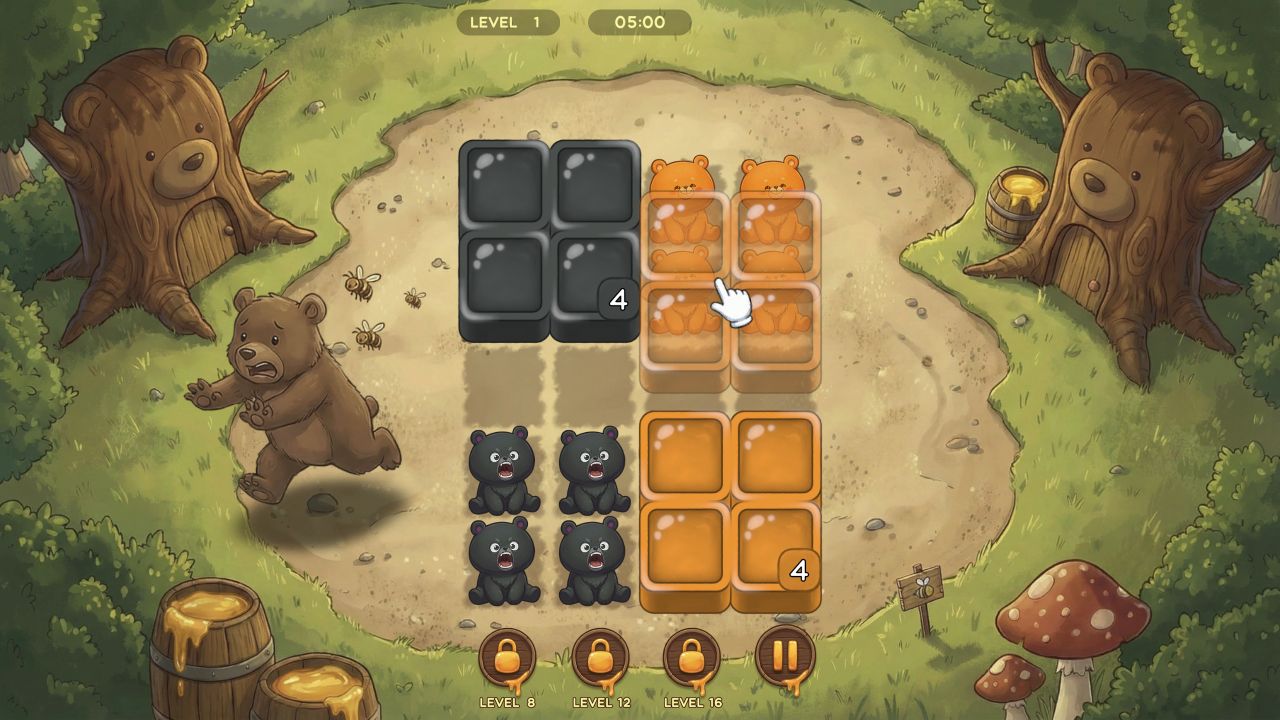
Catch the Bear was tested on 2026-08-13 in Codex in-app Chromium 151.0.7922.76 at 1280×720. The recorded inputs were Close the preroll; Click the orange numbered block. The visible record says: Level 1 started with four orange bears and four black bears. Two 2×2 destinations were marked 4 and the timer began at 5:00. Clicking the orange block lifted it over the orange group and left the lower orange grid empty.
Robot Unicorn Dash was tested on 2026-08-13 in Codex in-app Chromium 151.0.7922.76 at 1280×720. The recorded inputs were Click Play Now; Press Space twice during the live run. The visible record says: The menu opened on a blue planet backdrop with a trophy counter at zero. Starting the run transitioned through a paint-splash wipe. The live HUD labeled Jump and Dash and the captured run reached 19.
These records support only the states and inputs described above. They do not establish later-level quality, average session length, mobile behavior, popularity, learning effects or competitive balance unless a separate source or test explicitly covers that question.
References and evidence
- Catch the Bear — hands-on evidence — Desktop (macOS), Codex in-app Chromium 151.0.7922.76, 1280×720; tested 2026-08-13.
- Robot Unicorn Dash — hands-on evidence — Desktop (macOS), Codex in-app Chromium 151.0.7922.76, 1280×720; tested 2026-08-13.
- MDN: iframe element and sandbox — Browser documentation for embedded browsing contexts and sandbox controls.Accessed August 14, 2026.
- MDN: Permissions Policy — Browser documentation for controlling access to powerful features.Accessed August 14, 2026.
- fulegames Privacy Policy — Site-specific disclosure of local storage, Google advertising and Playgama requests.
- fulegames Game Sources — Separation between fulegames editorial material and Playgama-hosted content.