
A mobile-ready label is a starting point, not a completed review. It may describe the platforms a publisher intends to support, while leaving unanswered questions about touch targets, orientation, text size, loading behavior and whether the first gesture works as instructed. The current fulegames playtest records were captured on desktop macOS in Chromium at 1280×720. They cannot establish phone performance.
This article therefore does two jobs. It explains what we can reuse from the desktop evidence—the visible controls and opening layout—and sets out the separate checks required before fulegames can call a title mobile-verified.
Translate controls; do not assume equivalence
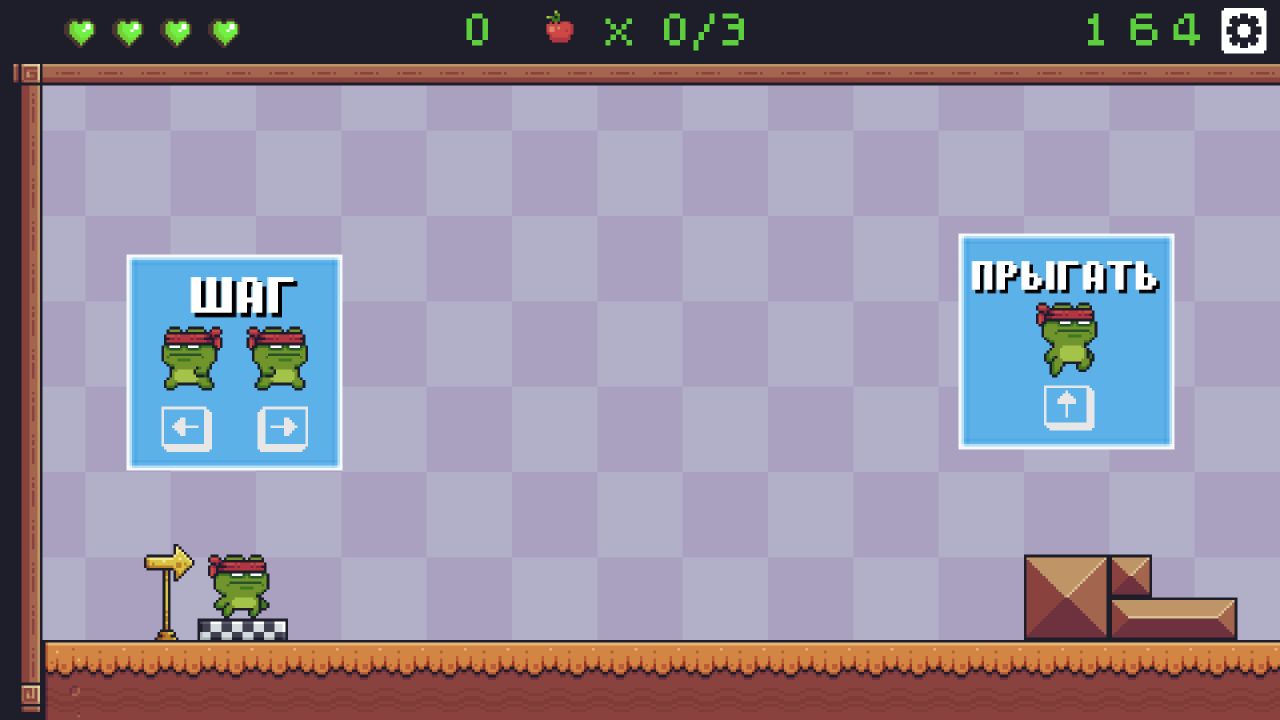
Super Frog Adventure displayed horizontal movement and jumping tutorials in its desktop scene. Robot Unicorn Dash labeled Jump and Dash during a live run. Those labels identify the actions a touch layout would need to expose, but they do not show button size, thumb reach or whether simultaneous touch inputs are accepted.
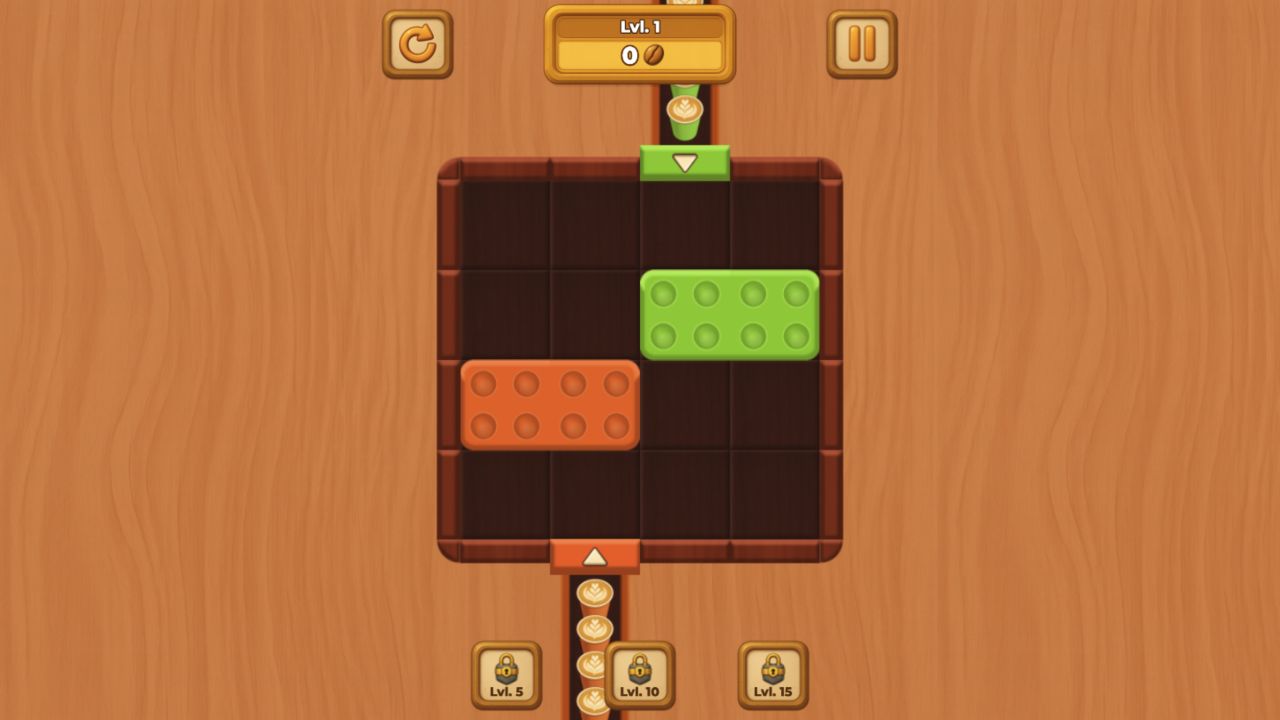
Coffee Color Blocks is a different case. Its opening requested a drag, and the desktop drag dismissed the tutorial hand without sending the green block through the gate. A touch drag might behave differently, but the desktop result gives us a precise retest: repeat the same direction on a phone and record whether the block position changes.
The minimum mobile verification pass
- Record device model, operating system, browser, orientation and viewport.
- Reach the same live state shown in the desktop evidence rather than stopping at a menu.
- Perform the publisher-described touch gesture and capture the visible result.
- Rotate once when both orientations are claimed, then check for clipped controls or unreadable text.
- Reload the page and verify that the game does not require an accidental permission or full-screen prompt.
What readers should trust today
Readers can trust that the linked games reached the documented desktop states on the stated date. They can also see which actions the interfaces requested. They should not read the site’s device metadata as a fulegames guarantee of frame rate, battery use, touch precision or support across recent phones.
That distinction is not a disclaimer pasted over a recommendation. It is the review boundary. As mobile sessions are added, each game page should receive its own device-specific record instead of inheriting a generic claim that most 2D games run perfectly.
What the linked records actually contain
Super Frog Adventure was tested on 2026-08-13 in Codex in-app Chromium 151.0.7922.76 at 1280×720. The recorded inputs were Click the canvas; Press ArrowRight repeatedly, then ArrowUp. The visible record says: The first scene opened with four hearts, a 0/3 fruit counter, and a 196-second timer. Tutorial panels labeled horizontal movement and jumping. Discrete key presses did not produce a clearly visible traversal while the timer continued.
Robot Unicorn Dash was tested on 2026-08-13 in Codex in-app Chromium 151.0.7922.76 at 1280×720. The recorded inputs were Click Play Now; Press Space twice during the live run. The visible record says: The menu opened on a blue planet backdrop with a trophy counter at zero. Starting the run transitioned through a paint-splash wipe. The live HUD labeled Jump and Dash and the captured run reached 19.
Coffee Color Blocks was tested on 2026-08-13 in Codex in-app Chromium 151.0.7922.76 at 1280×720. The recorded inputs were Close the preroll; Drag the green block toward the green gate. The visible record says: Level 1 showed a four-column board with green and orange horizontal blocks. Matching gates sat on opposite edges and no timer was visible. The first drag dismissed the hand prompt but did not send the green block through the gate.
These records support only the states and inputs described above. They do not establish later-level quality, average session length, mobile behavior, popularity, learning effects or competitive balance unless a separate source or test explicitly covers that question.
References and evidence
- Super Frog Adventure — hands-on evidence — Desktop (macOS), Codex in-app Chromium 151.0.7922.76, 1280×720; tested 2026-08-13.
- Robot Unicorn Dash — hands-on evidence — Desktop (macOS), Codex in-app Chromium 151.0.7922.76, 1280×720; tested 2026-08-13.
- Coffee Color Blocks — hands-on evidence — Desktop (macOS), Codex in-app Chromium 151.0.7922.76, 1280×720; tested 2026-08-13.