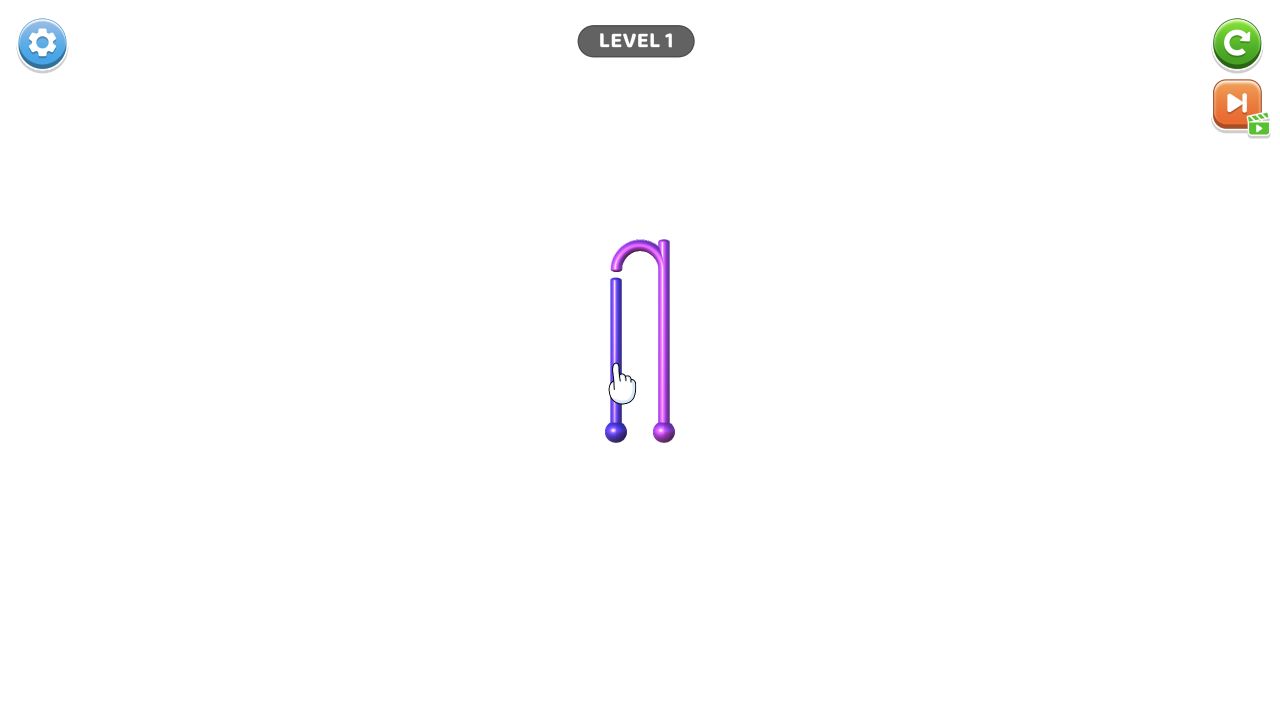
Wood Nuts Master: Screw Puzzle

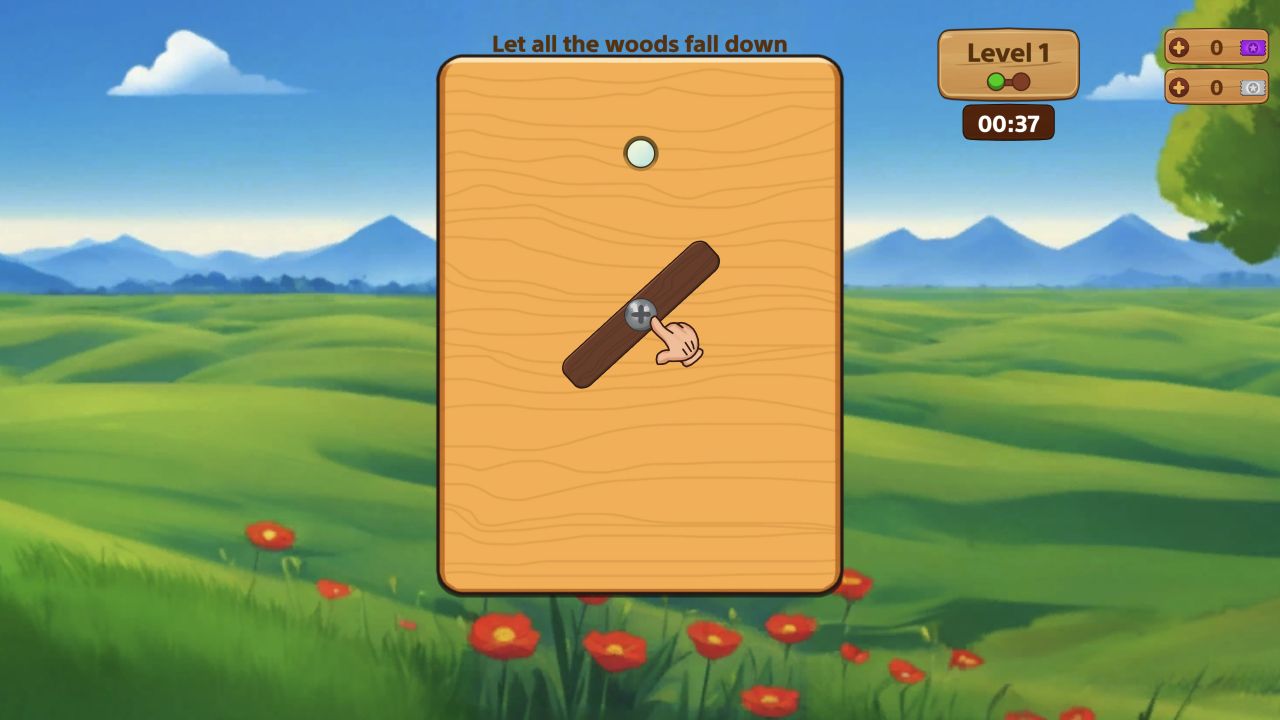
Wood Nuts Master: Screw Puzzle is a physics wood-and-screw puzzle where screws and nuts must be placed to topple wooden blocks.

Original editorial guideEditor score 8.8/10

Wood Nuts Master: Screw Puzzle

Wood Nuts Master: Screw Puzzle

Overview

Wood Nuts Master: Screw Puzzle challenges players to understand how wooden blocks are held together. Screws and nuts are not decoration; they decide which pieces fall, stay, or block the next move.

The puzzle is strategic because placements are limited. A screw moved into the wrong hole can stop the structure from opening.

The official description calls it a physics-based puzzle about placing screws and nuts so wooden blocks fall. That is the right way to frame the game. The player is not simply matching hardware or tapping loose pieces. The player is reading a structure. Each screw is a point of support. Each empty hole is a temporary resource. Each wooden block has weight, coverage, and a possible falling path.

What makes this genre interesting is the tension between visible simplicity and hidden dependency. A board may look like a few planks and screws, but one screw can be holding two pieces in place, while another screw can only be moved after a top layer drops. The best move is not always the most obvious screw. It is the move that opens the structure without covering the hole you need next.

The catalog lists Wood Nuts Master for Android, iOS, and desktop, with both horizontal and vertical orientation. That flexibility suits a puzzle where the board can be inspected at different screen sizes. The game also sits near relaxing, attention, brain-training, interactive, challenging, and mind-game tags. That mix is accurate. The theme is calm, but the logic can become tight when empty holes are limited.

How it plays

Select screws or nuts and place them in the best empty holes so wooden blocks fall away. Clear the puzzle by releasing all required wooden pieces.

A typical level begins with a wooden structure held by screws. The player selects a screw or nut, moves it into an available empty hole, and watches whether a block can fall. If the block drops, the board opens. If it stays, another support point or overlapping piece is still stopping it. The challenge is to find the sequence that releases all required pieces without running out of usable holes.

Limited empty holes are the core pressure. An empty hole is not merely a destination; it is a parking space that keeps a screw available while the structure changes. If a released wooden block slides or falls over a hole, that hole may become covered and unusable. The official control text warns about this, and it is one of the most important player lessons. A move can be technically legal and still bad if it buries the next needed position.

The physics feedback is helpful because progress is visible. When the correct support is removed, a plank falls, rotates, or clears space. When nothing changes, the player learns that the structure has another dependency. This makes Wood Nuts Master feel like a mechanical puzzle rather than a random tap game. The board explains itself through motion.

Some levels will likely include multiple layers. A top plank may block access to a lower screw. A lower plank may not fall until the top piece is removed. A screw may be available, but moving it too early could take the only open hole needed for another support. The player must think in order: which part of the structure can fall now, and which part needs to wait?

Strategy notes

Look for the screw that holds the most blocked board first. If a block cannot fall because another piece is covering it, solve the upper layer before the lower one.

The best first scan is not for screws, but for falling paths. Ask which wooden block has room to move if released. A screw holding a trapped block may not be the first priority because even after removal, the block cannot go anywhere. A screw holding a free block is more promising because it can create immediate space.

Protect empty holes. Before moving a screw, check whether the receiving hole might be covered by a falling plank. If it might, decide whether that is acceptable. Sometimes sacrificing a hole is fine because the falling block clears a larger part of the board. Sometimes it ends the puzzle because no other hole remains. This is where the game becomes strategic.

Work from layers, not from convenience. Screws on top are not always more important, but visible layers often determine what can move. If a large plank covers several screws, freeing that plank can expose multiple future moves. If a small plank is isolated, clearing it may be safe but low value. Choose the move that improves the board's future, not only the move that clears a small piece now.

Use failed attempts as structural information. If a block does not fall after you move a screw, something else is supporting it. Instead of guessing, inspect the contact points. Is another screw still attached? Is the plank wedged under another piece? Is gravity blocked by a neighboring plank? Wood Nuts Master rewards players who read cause and effect.

Empty-hole management

Empty-hole management is the difference between casual play and strong play. Each empty hole has three possible values: immediate use, future use, and danger. Immediate use means it can safely hold a screw now. Future use means it should stay open because a later screw needs it. Danger means it may be covered by falling wood. Good players identify these values before moving hardware.

Do not fill every open hole just because you can. A filled hole is no longer flexible. If two screws can move, choose the one that creates new space while leaving at least one flexible hole available. When the board becomes crowded, flexibility is often more valuable than an extra small clear.

Watch for holes under wood edges. These are especially risky because a falling block can cover them. If a hole sits under a plank that is about to drop, using that hole may be a temporary solution that creates a permanent problem. On the other hand, if the plank will fall away from the hole, the move may be safe. The visual path matters.

Editorial assessment

Wood Nuts Master should be evaluated on mechanical readability, physics consistency, hole fairness, layer variety, and device comfort. Mechanical readability means players can tell which screws hold which planks. Physics consistency means similar structures fall in understandable ways. Hole fairness means levels should give enough empty spaces for thoughtful play, not force blind trial. Layer variety means later boards should introduce new dependencies instead of only adding more screws. Device comfort matters because precise tapping is important when holes are close together.

The game appears strongest as a tactile logic puzzle. It has familiar materials, clear motion feedback, and a satisfying release moment when wood finally drops. Its main risk is frustration if holes become covered in ways that feel impossible to predict. The best levels avoid that by showing enough visual information for careful players to anticipate falling paths.

This is a strong fit for players who like screw puzzles, physics logic, and calm mechanical problem solving. It is less ideal for players who want speed, combat, or story. The game is about observation and sequence.

Controls

Tap or click hardware: Select screws and nuts. Empty holes: Place screws strategically. Physics release: Make wooden blocks fall. Board inspection: Check which holes may become covered before moving a screw.

Pros

Strong mechanical logic. Physics feedback makes progress visible. Limited holes add planning pressure. Wood layers give each board a clear physical structure. Works for desktop and mobile puzzle sessions. Mistakes can teach useful support relationships.

Tradeoffs

Bad placements can block future moves. Later puzzles need careful layer reading. Covered holes may frustrate players who move too quickly. The game is focused on one mechanical idea, so variety depends on board design.

Controls reference

InputAction
Tap or click hardwareSelect screws and nuts.
Empty holesPlace screws strategically.
Physics releaseMake wooden blocks fall.
Board inspectionCheck which holes may become covered before moving a screw.

Tips & tricks

Look for the screw that holds the most blocked board first. If a block cannot fall because another piece is covering it, solve the upper layer before the lower one. The best first scan is not for screws, but for falling paths. Ask which wooden block has room to move if released. A screw holding a trapped block may not be the first priority because even after removal, the block cannot go anywhere. A screw holding a free block is more promising because it can create immediate space. Protect empty holes. Before moving a screw, check whether the receiving hole might be covered by a falling plank. If it might, decide whether that is acceptable. Sometimes sacrificing a hole is fine because the falling block clears a larger part of the board. Sometimes it ends the puzzle because no other hole remains. This is where the game becomes strategic. Work from layers, not from convenience. Screws on top are not always more important, but visible layers often determine what can move. If a large plank covers several screws, freeing that plank can expose multiple future moves. If a small plank is isolated, clearing it may be safe but low value. Choose the move that improves the board's future, not only the move that clears a small piece now. Use failed attempts as structural information. If a block does not fall after you move a screw, something else is supporting it. Instead of guessing, inspect the contact points. Is another screw still attached? Is the plank wedged under another piece? Is gravity blocked by a neighboring plank? Wood Nuts Master rewards players who read cause and effect.

What we like, what we don't

Pros

  • Strong mechanical logic.
  • Physics feedback makes progress visible.
  • Limited holes add planning pressure.
  • Wood layers give each board a clear physical structure.
  • Works for desktop and mobile puzzle sessions.
  • Mistakes can teach useful support relationships.

Cons

  • Bad placements can block future moves.
  • Later puzzles need careful layer reading.
  • Covered holes may frustrate players who move too quickly.
  • The game is focused on one mechanical idea, so variety depends on board design.

Frequently asked

What is the objective?

Use screws and nuts strategically so all wooden blocks fall or clear.

Why are empty holes important?

They determine where screws can move and whether the structure can be released.

What should beginners check first?

Check which wooden block can actually fall if a screw is moved. A screw is useful only if removing it creates space or progress.

Can a good move become bad later?

Yes. Moving a screw into a hole that later gets covered can block future progress, even if the move looked safe at first.

Is Wood Nuts Master relaxing or difficult?

Both. The wood-and-screw theme is calm, but limited holes and layered structures make later puzzles strategic.

Does it work on mobile?

Yes, it is listed for Android and iOS as well as desktop. Small screens require careful tapping when screws and holes are close together.

Category

Puzzle

Platform

Desktop + mobile

Devices

For Android, For IOS, For Desktop

Orientation

Landscape, Portrait

Catch the Bear — play free in your browser
JuicyJong — play free in your browser
Balls: Ricochet! — play free in your browser
Amaze! — play free in your browser
Hook Pin Jam — play free in your browser
Stickman Archer Kick — play free in your browser
Pool Shoot Tournament — play free in your browser
Wood Blocks Jam — play free in your browser
Tile Match — play free in your browser
Help Tricky Story A Complicated Story — play free in your browser
Balls Animal — play free in your browser
Mindblow — play free in your browser
Coloring by Numbers. Pixel Room — play free in your browser
Bridge Builder — play free in your browser

Blog

More to read between rounds

Six random blog picks from the editorial desk.
All articles →
Coffee Color Blocks gameplay preview used as editorial artwork for Progression Systems in Idle Games, Explained

Guides

Progression Systems in Idle Games, Explained

The best idle games are not idle all the way through; they move through active, passive, and reset phases that each ask a different question.

Feb 18, 20266 min read

Ragdoll Crash-Test: Throw and Break! gameplay preview used as editorial artwork for Why Controls Matter More Than Graphics

Opinion

Why Controls Matter More Than Graphics

Pretty art can attract attention, but poor controls are what make players close the tab for good.

Mar 10, 20266 min read

Sorter: Ragdoll Playground Shooter gameplay preview used as editorial artwork for The Best Ragdoll Physics Browser Games

Lists

The Best Ragdoll Physics Browser Games

Ragdoll games are funniest when the chaos stays readable enough that every bad idea still feels partly intentional.

Feb 13, 20266 min read

Axe Run gameplay preview used as editorial artwork for Why Browser Games Are Making a Comeback

Industry

Why Browser Games Are Making a Comeback

The browser as a games platform almost died with Flash. A quiet revival across the last few years has changed that completely.

Apr 1, 20268 min read

Robby The Lava Tsunami gameplay preview used as editorial artwork for Parkour and Platforming in Browser Games

Lists

Parkour and Platforming in Browser Games

The best browser parkour and platforming games turn movement into a readable conversation between timing, route choice, and level design.

Jan 8, 20266 min read

Neon Goal gameplay preview used as editorial artwork for Browser Game Trends to Watch in 2026

Industry

Browser Game Trends to Watch in 2026

A few clear design trends are shaping browser games right now, and none of them require inflated industry numbers to notice.

Jan 26, 20266 min read